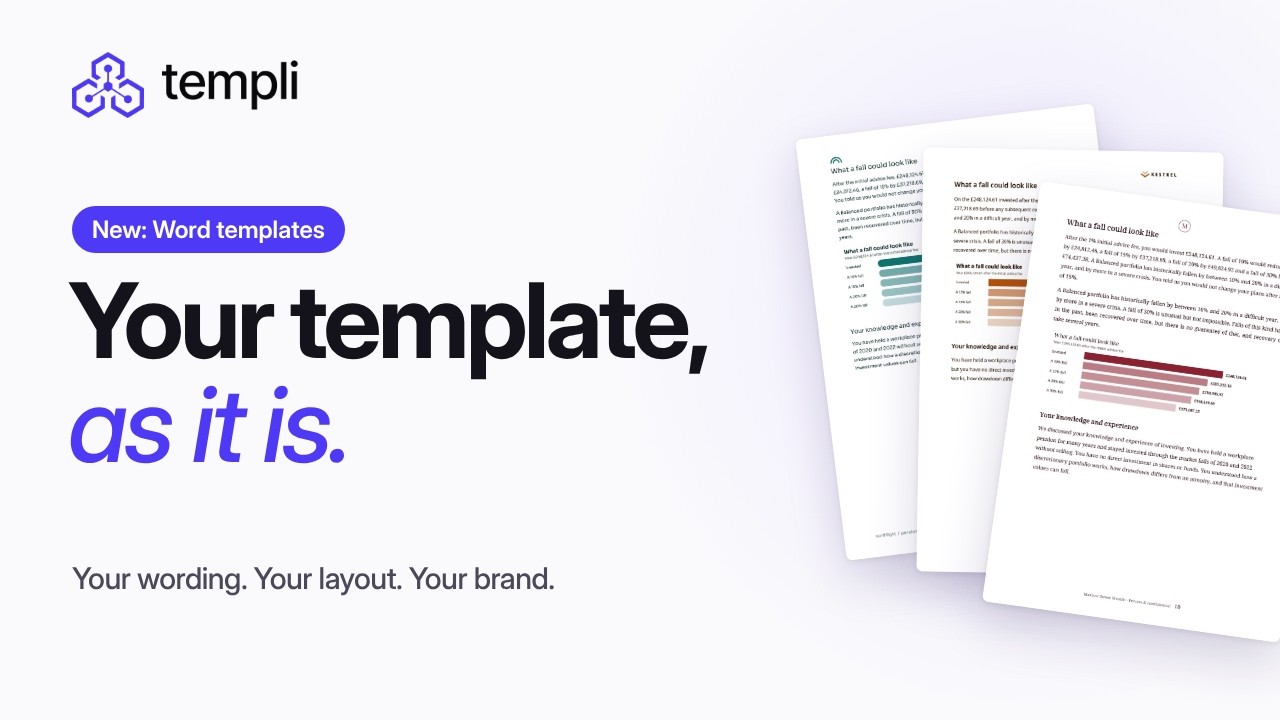
Templi now works with your firm’s own Word templates. Upload the .docx you already use, and Templi writes each client’s report inside it, keeping your wording, layout and branding exactly as they are.
Templi automates any Word template
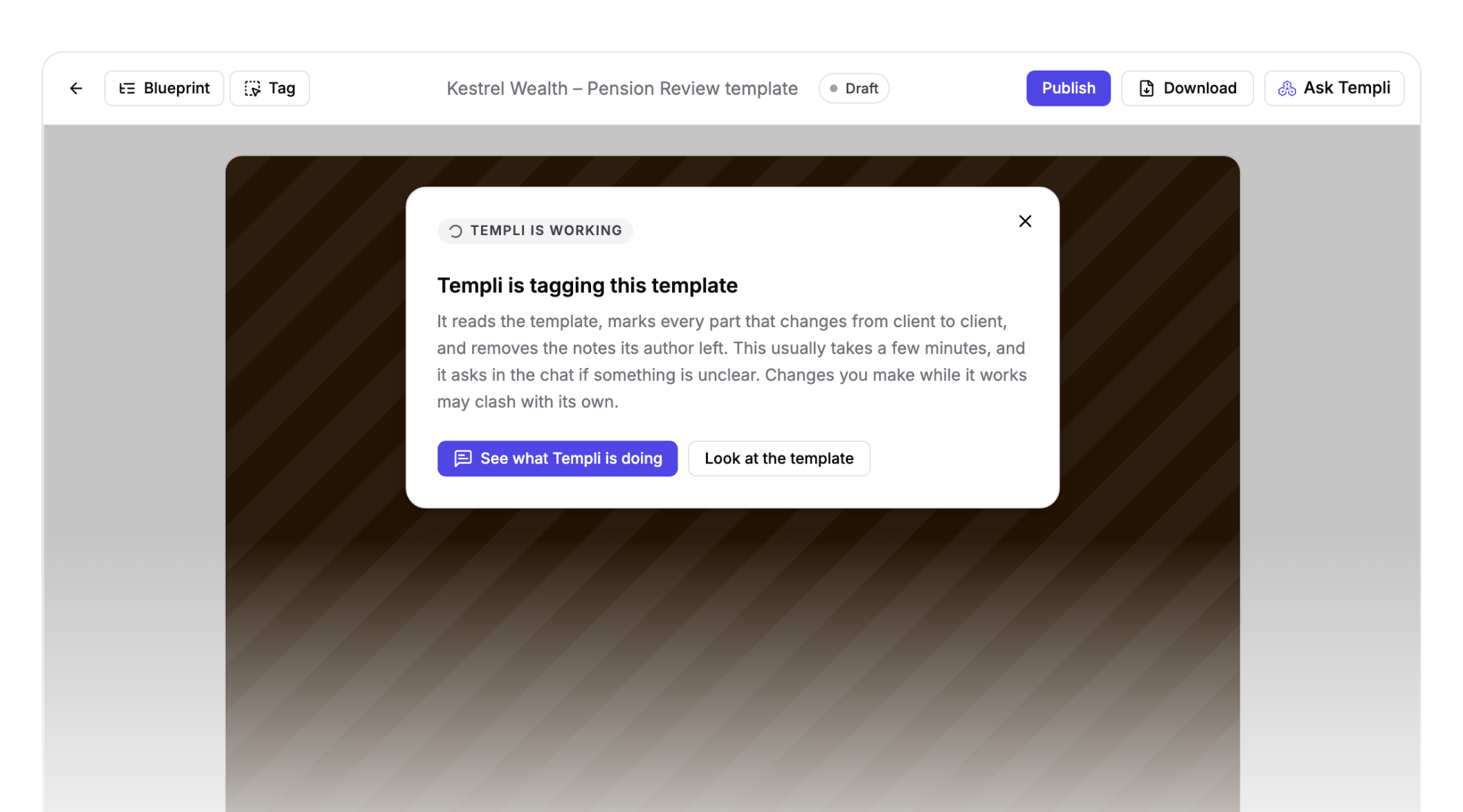
Upload any Word template, along with any notes on how it’s marked up, and Templi automates it. It tags the parts that change from client to client: the client’s name, the date and the adviser, the table of existing pensions, or an optional section on wills.
The notes your authors left for each other become the rules Templi follows. A section marked “insert where the client has a With Profits fund” is only included when the client has one, and two versions of a paragraph separated by a slash become a choice. Everything you didn’t tag stays exactly as you wrote it.
Your template, as it is
Every firm has a suitability report template it has spent years getting right. The wording has been through compliance, the layout carries your brand, and the notes to whoever fills it in sit in the document itself.
Until now, using that template in Templi meant rebuilding it in Templi’s own editor. Now the Word file is the template.
Tag by hand when you want to
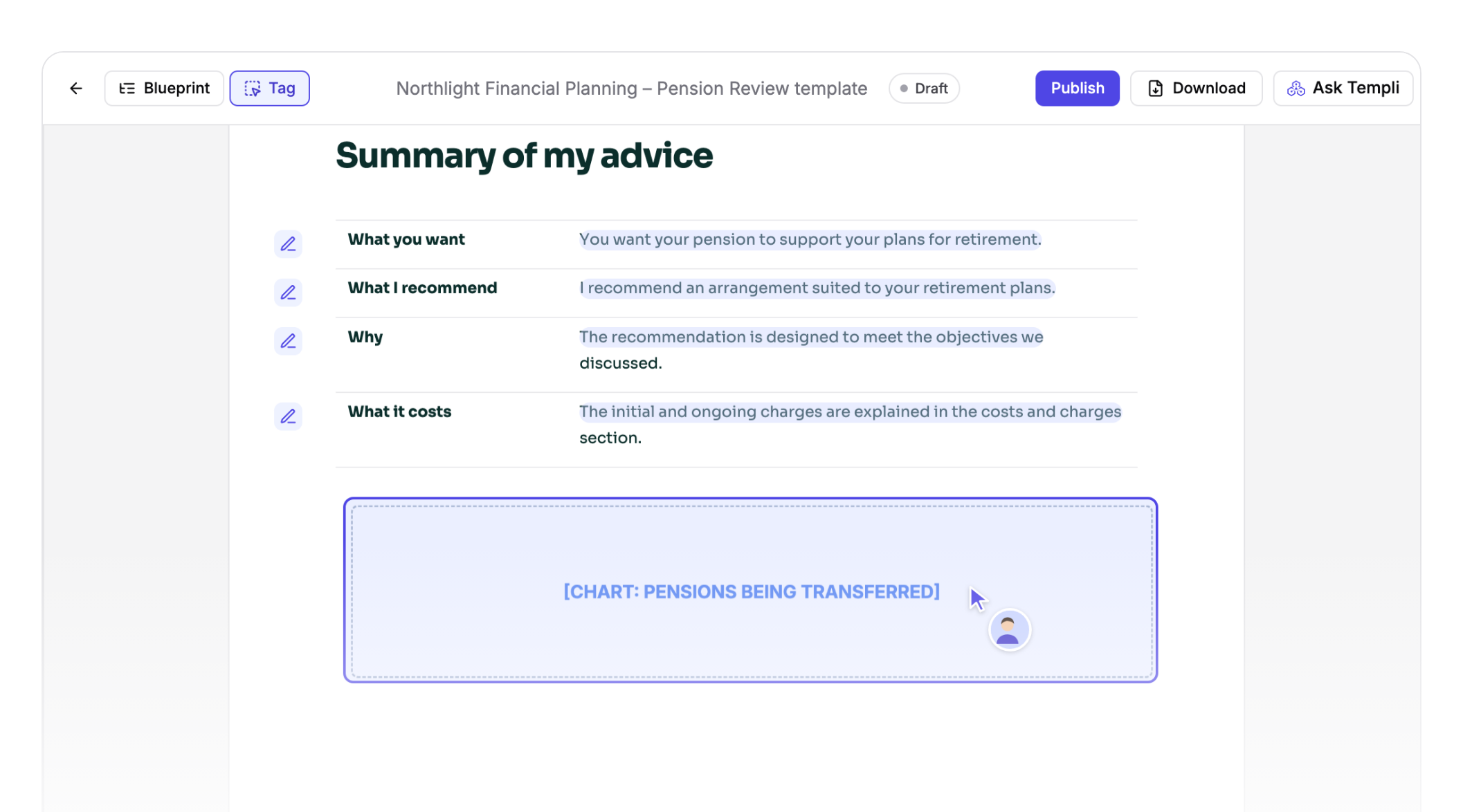
Tag mode lets you select any paragraph or table and choose what it should be: a written answer, a section that can be hidden, a section that repeats for each plan, a table Templi fills in, a choice from a dropdown, or wording from another Word file.
Templi only offers the options that fit what you’ve selected, and explains why the others don’t. That makes it quick to correct anything the automatic tagging got wrong.
Templi asks instead of guessing
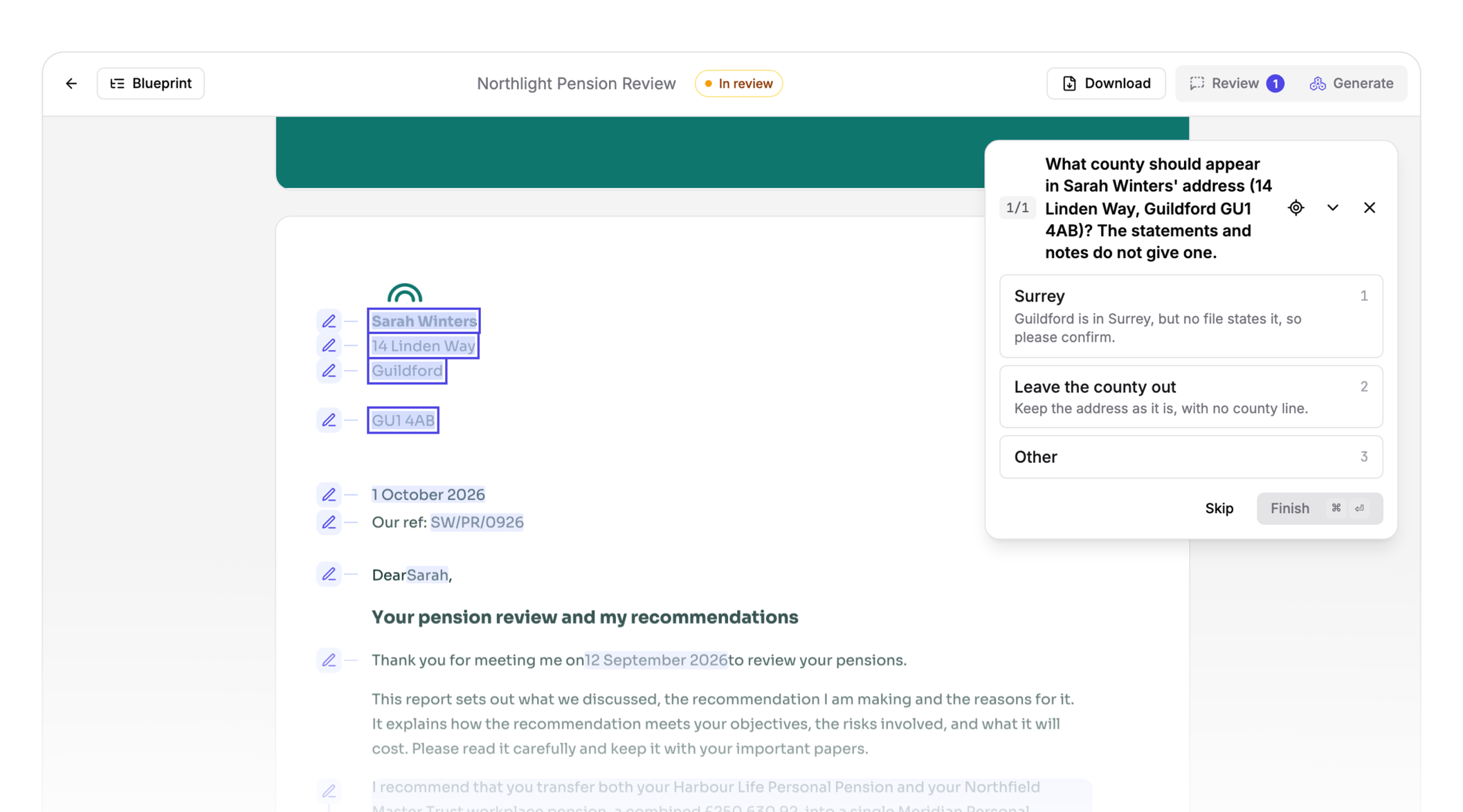
Templi now asks you more questions while it writes. When the client’s files are missing something the report needs, such as a figure, a date or a decision only you can make, Templi stops and asks you rather than filling the gap.
Each question appears on the report next to the section it’s about, with that section highlighted, so you can see exactly why Templi is asking. Answer it and Templi writes your answer in. Leave it for later and the section is marked “Not answered”, so nothing slips through unchecked.
Every figure shows where it came from
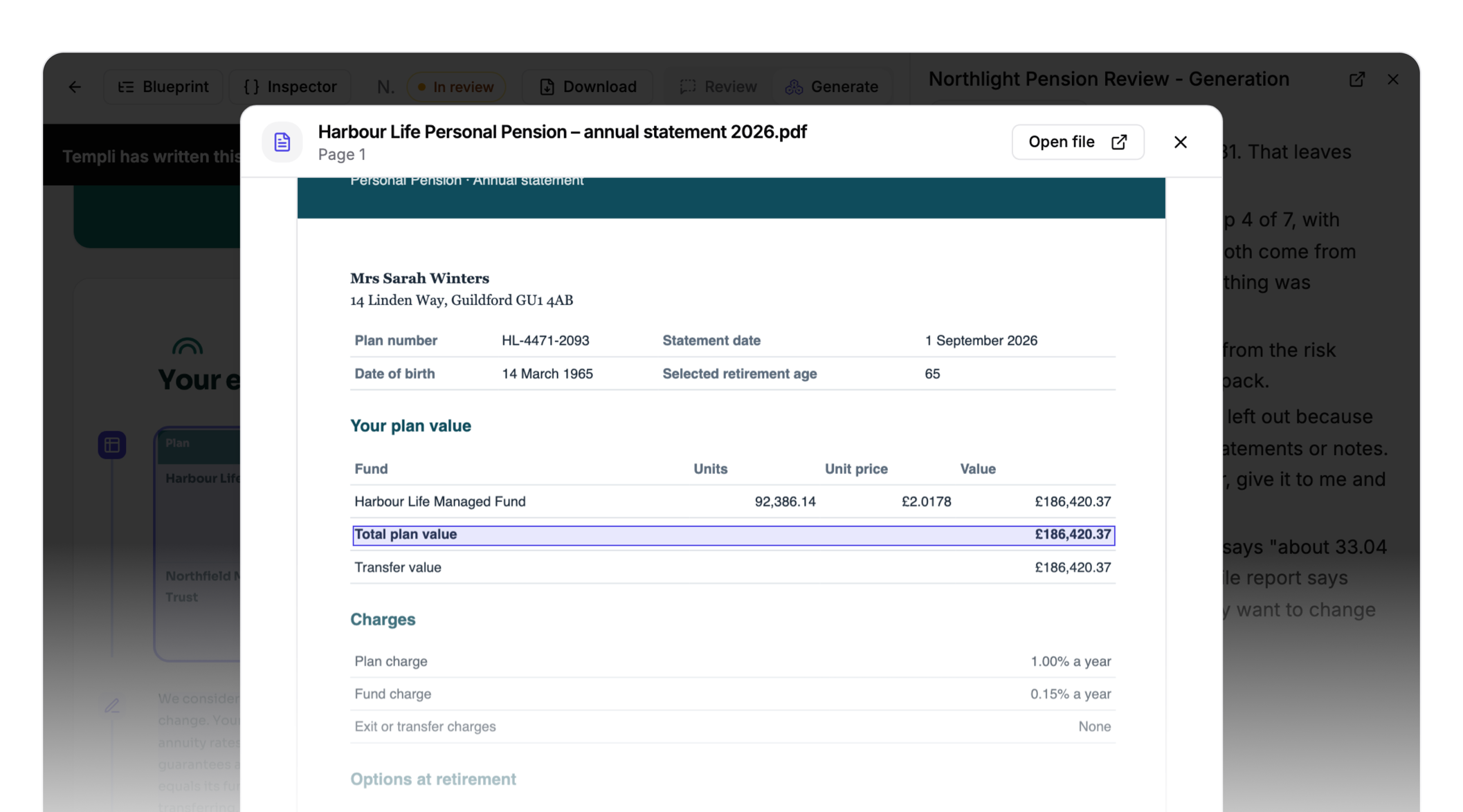
Every figure and fact Templi writes can be checked. Click any section of a report to see the files Templi used, then open one to land on the exact page, with the figure outlined. Checking a report takes seconds instead of a trip back through the case files.
Templates that learn and evolve
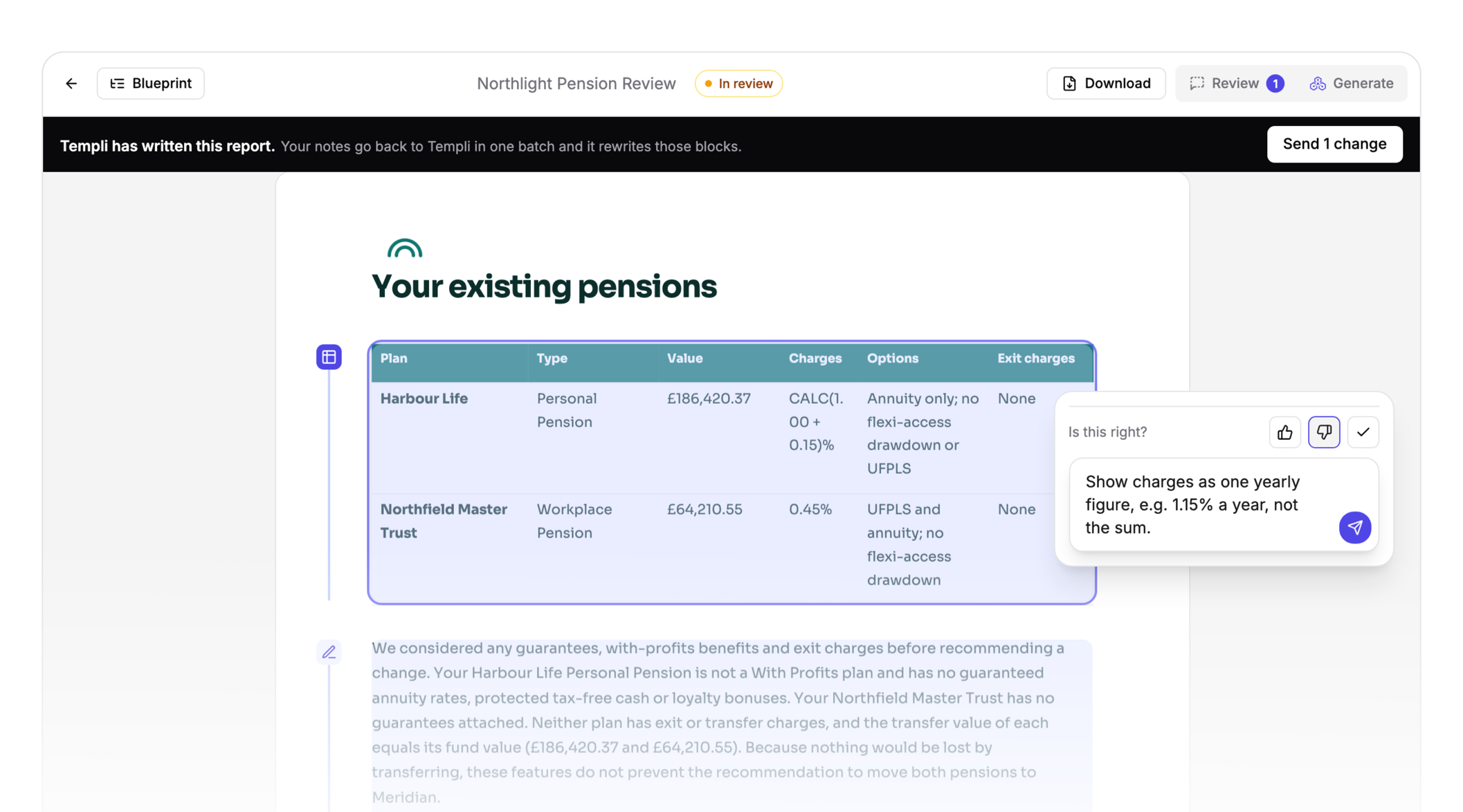
When you read a report, mark each section right or not quite, and say what’s wrong in your own words. Send your notes in one go and Templi rewrites those sections. If the problem was in the template rather than this client’s report, Templi fixes the template too, so the next client’s report doesn’t have the same gap.
Every note teaches Templi a little more about how your firm works. It keeps your template library up to date for you, so every adviser starts from the latest version and nobody has to edit a template by hand.
Moving to Word templates
New firms start on Word templates. If your firm already uses Templi, your existing templates stay where they are, under Legacy on the Templates page, and new templates start from uploading or describing a Word file.
See Templi in action
Explore how Templi can write every report inside your firm’s own Word template. Book a demo with the team.