
Templi's Xplan integration
OfficialConnect to Iress Xplan to sync client data and streamline your financial planning workflows.
What it does
Bring your whole book across
Import every client and adviser from Xplan in one pass, then keep them in step without re-keying a thing.
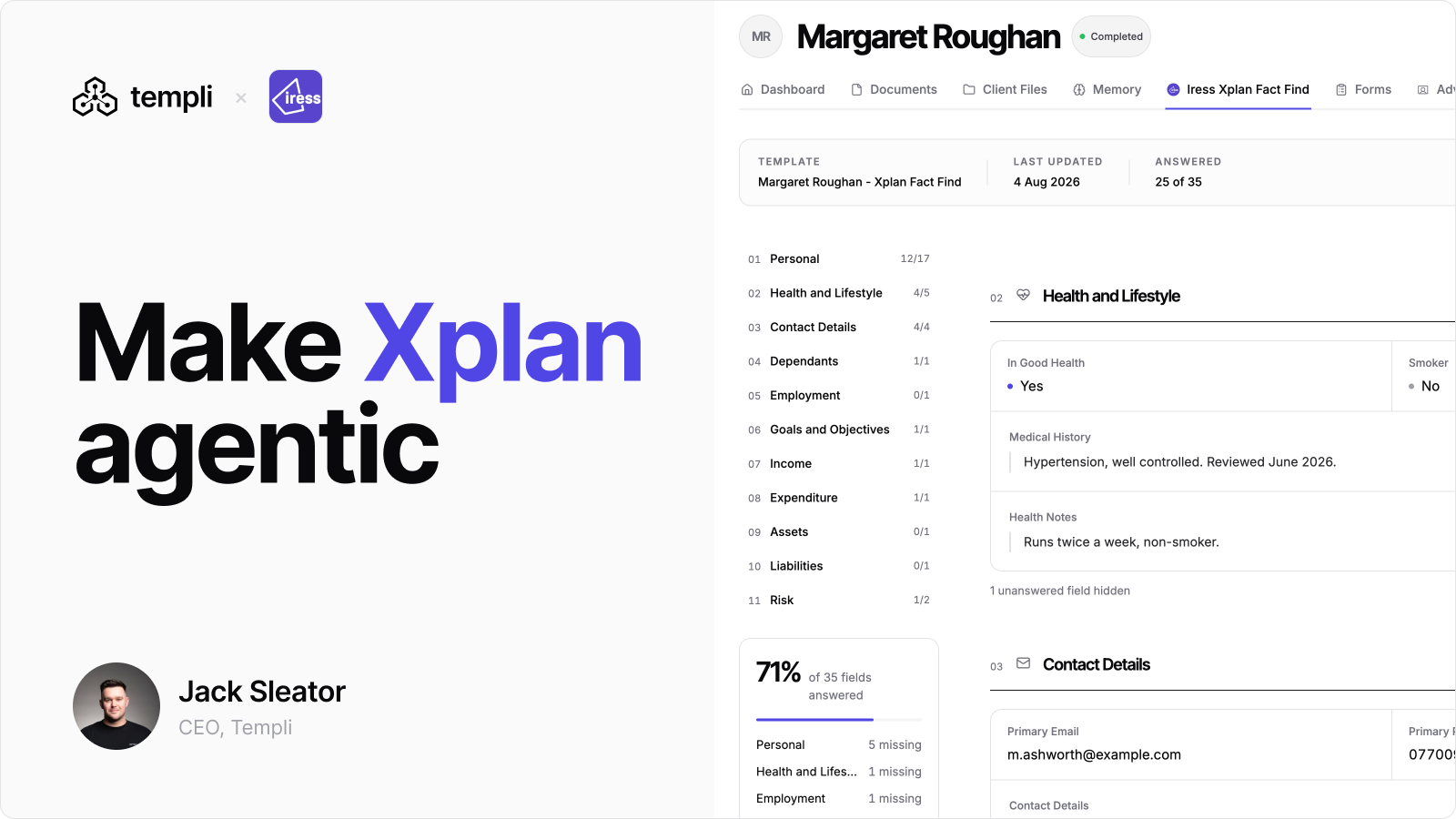
Fact finds that fill themselves
Templi completes fact find and review forms from live Xplan data, then exports the finished form straight back onto the Xplan record.
Chat over your Xplan data
Ask Templi's agents about any client and they read Xplan directly, so the answer cites the record rather than a stale copy.
Iress Xplan Integration
Connect your Iress Xplan CRM to import clients and advisers, complete fact finds from your meetings, and write the results straight back into Xplan.
Key Features
- Client and Adviser Import: Bring your Xplan clients and advisers into Templi, matched to your team
- Fact Find Sync: Personal details, health, contact details, dependants, goals, income, expenditure, assets, liabilities and consent, in both directions
- Filled In From Your Meetings: Templi's meeting transcripts complete the fact find, so nobody retypes a form
- Your Xplan Configuration: Titles, income types, asset types and the rest come from your own site's option lists, so what goes back matches what your team already uses
Before You Connect
You will need your Xplan site URL and an Xplan account for Templi to connect through. We recommend a service account with access across the firm, so the integration can reach every adviser's clients.
Good To Know
Employment income syncs as part of income, but Xplan's API does not expose employment records, so occupation and employer stay in Templi. Existing pensions, annuities and protection policies are read for context and are not yet written back.
Permissions
7 of 8 scopes can write back- ClientsRead and write
Read client records, contact detail, plans and holdings. Write documents, notes and case updates back onto the record. Every write is attributed to you and timestamped.
- AdvisersRead and write
Read adviser names, roles and client assignments so documents are attributed to the right adviser.
- FormsRead and write
Read submitted fact find and review forms, and write completed forms back to the client record.
- OrganisationsRead and write
Read firm, network and office structure to apply the correct template set and disclosures.
- ImportsRead and write
Create and update imports so incoming client data can be reviewed before it lands.
- TasksRead and write
Create and complete tasks in the connected system when a document moves stage.
- App credentialsManaged by Templi
OAuth tokens are stored encrypted and scoped to this connection. They are never exposed to other apps or firm members.
- PlansRead and write
Requirements
- An Xplan site with API access enabled
- A dedicated Templi service account, so the connection survives staff changes and every action is attributable
- Administrative access to authorise the connection