Meetings

The AI note taker built for financial advisers.

An AI note taker for financial advisers. Send Templi's notetaker to the video call, or record without a bot on your computer or phone. Either way you get the file note in your firm's format, with client changes queued for your back office.

Meeting prep

Walk in prepared.
Templi reads the whole file before you do.

Press Prepare on any meeting and Templi reads the fact find, client memory, notes from earlier meetings, documents and the CRM. Then it writes a short brief: what to check in the meeting, what has changed since you last met, what is still open and a suggested agenda, with the source of every point.

  • Check in the meeting Questions to settle in the room, from gaps and conflicts in the file
  • Since you last met Provider replies, documents and changes that arrived after the last meeting
  • Open actions What was agreed last time and still isn’t done
  • Suggested agenda The order to take it in, each point with its source

From meeting to file note.
In the room, on a video call or on the phone —
Templi writes it up in your format.

Capture

With a bot, or without one

Templi’s notetaker joins your Zoom, Google Meet and Microsoft Teams calls, when you send it or for every meeting on your calendar. Rather not have a bot? Record on your computer or phone, in the room or on the call, or upload a transcript you already have.
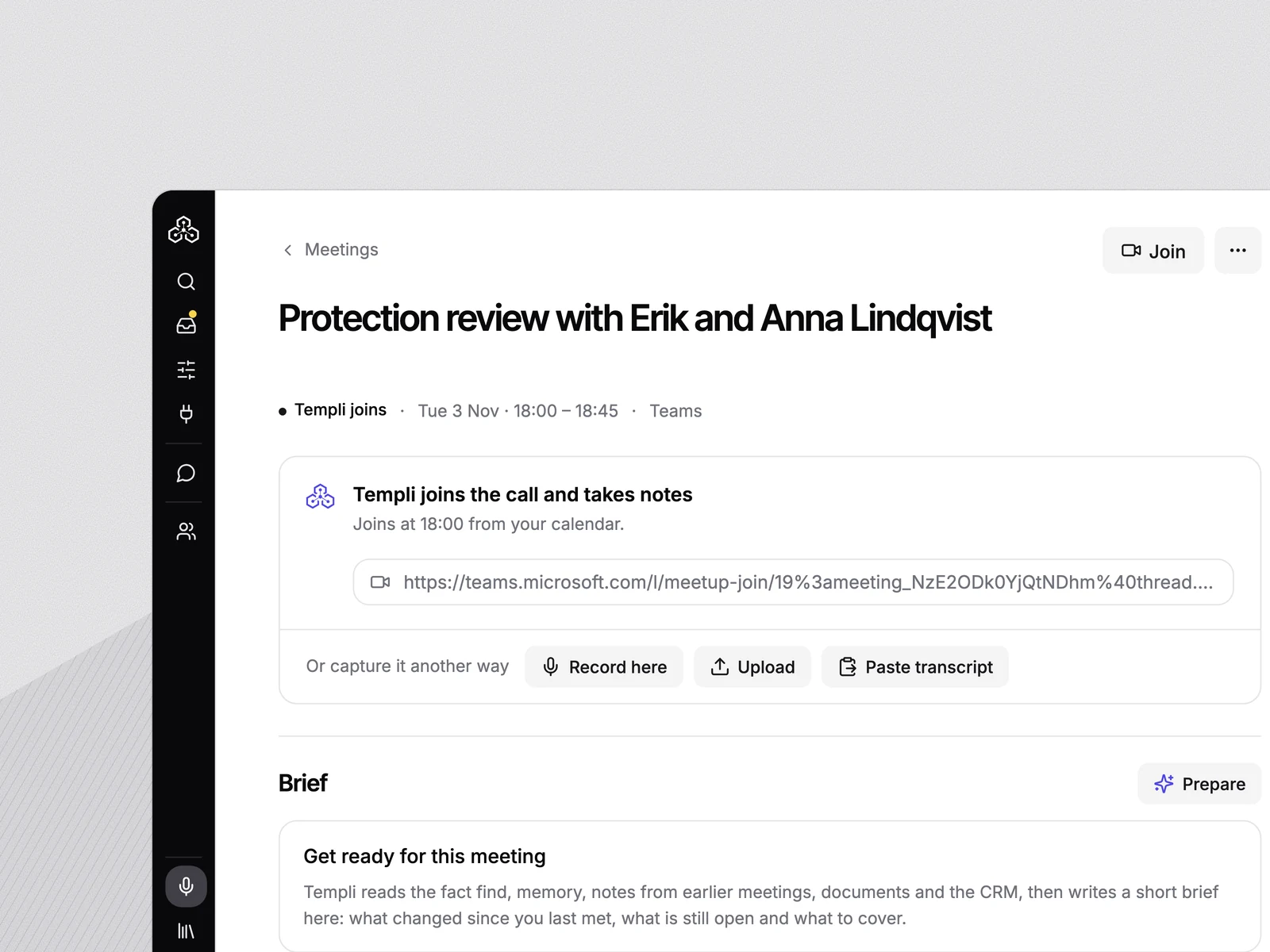
A Teams meeting the notetaker will join from the calendar, with Record here, Upload and Paste transcript beneath it
Annual reviews

Annual reviews, tracked for every client

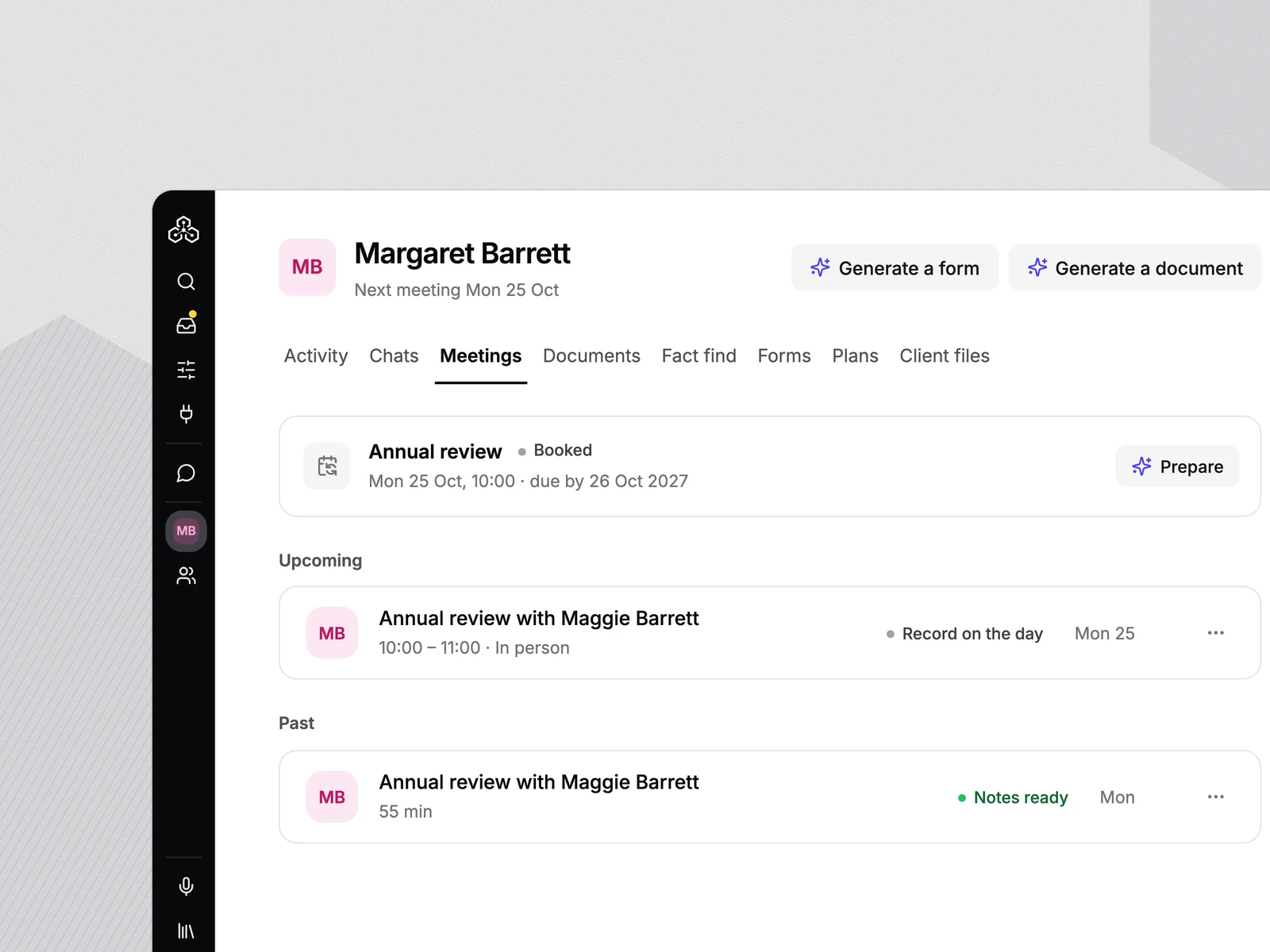
Mark a meeting as the annual review and Templi tracks it on the client: when the last one was held, when the next is due, and whether it’s booked. The notes and client changes from the meeting are logged against the client.

A client’s meetings: the annual review booked for next year, and last year’s review with its notes
Transcript

A transcript behind every note

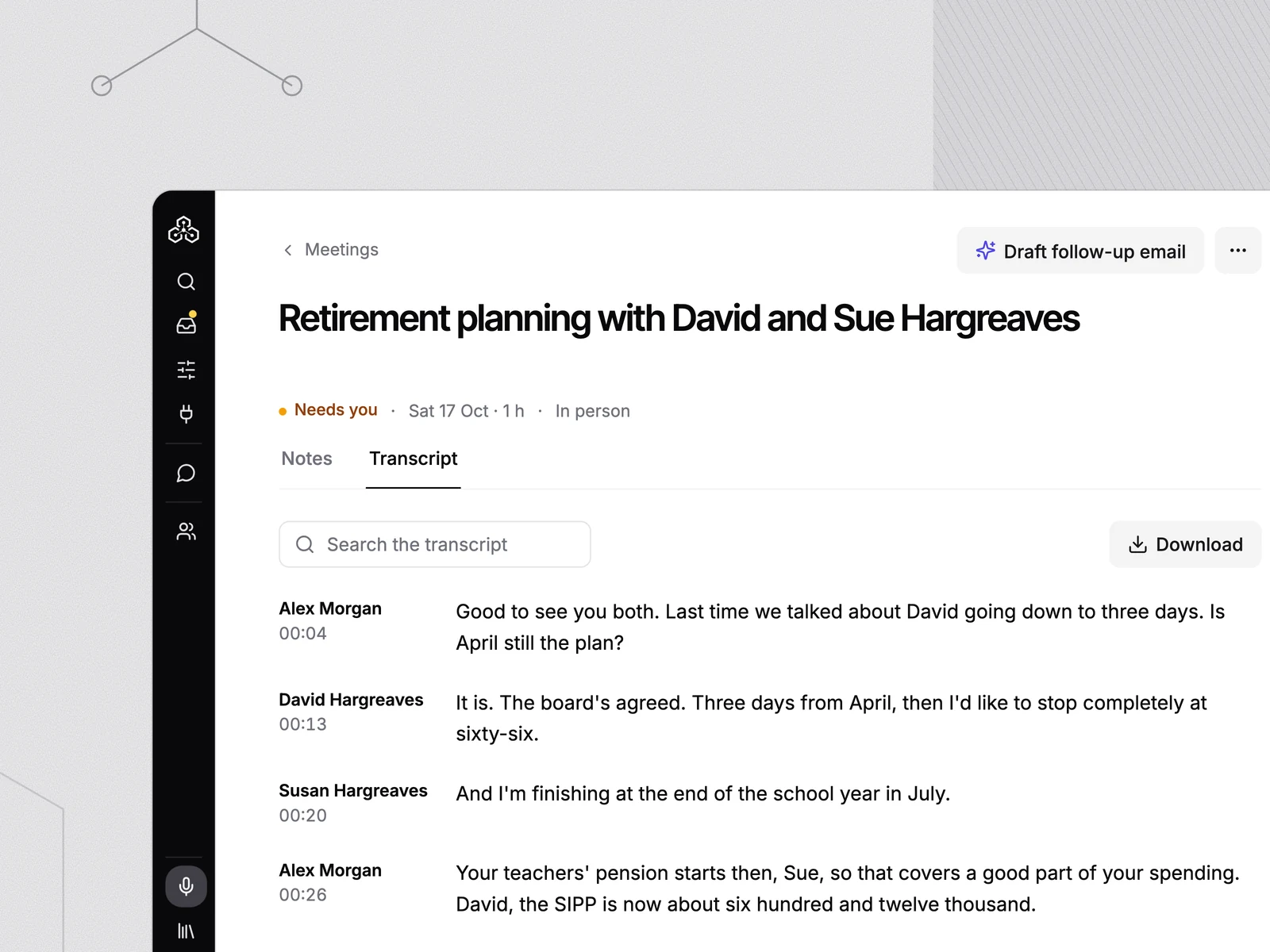
The full speaker-labelled transcript sits behind every note, so you can check exactly what was said.

A transcript with adviser and client turns, next to the note
Client changes

Client changes, confirmed

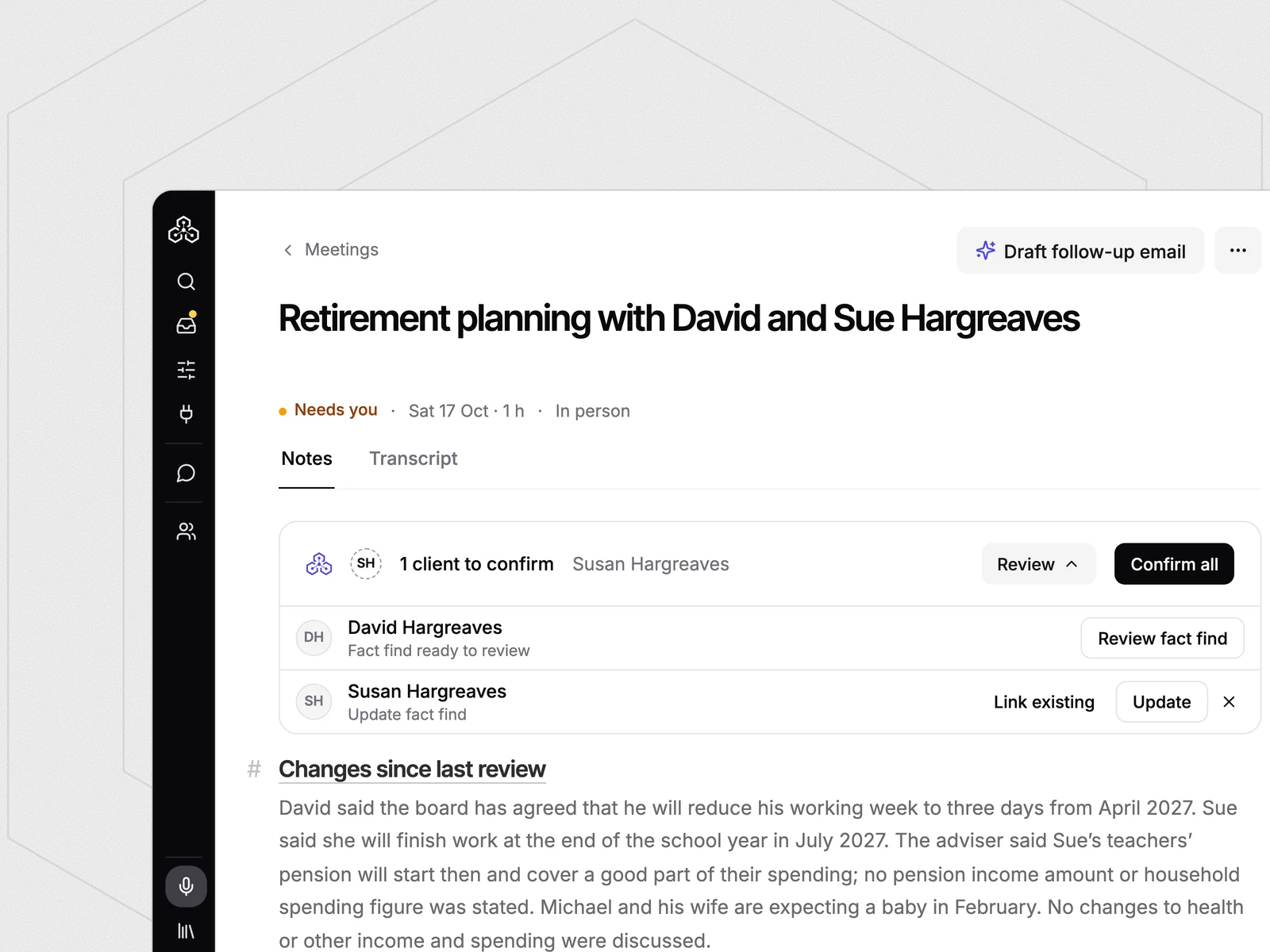
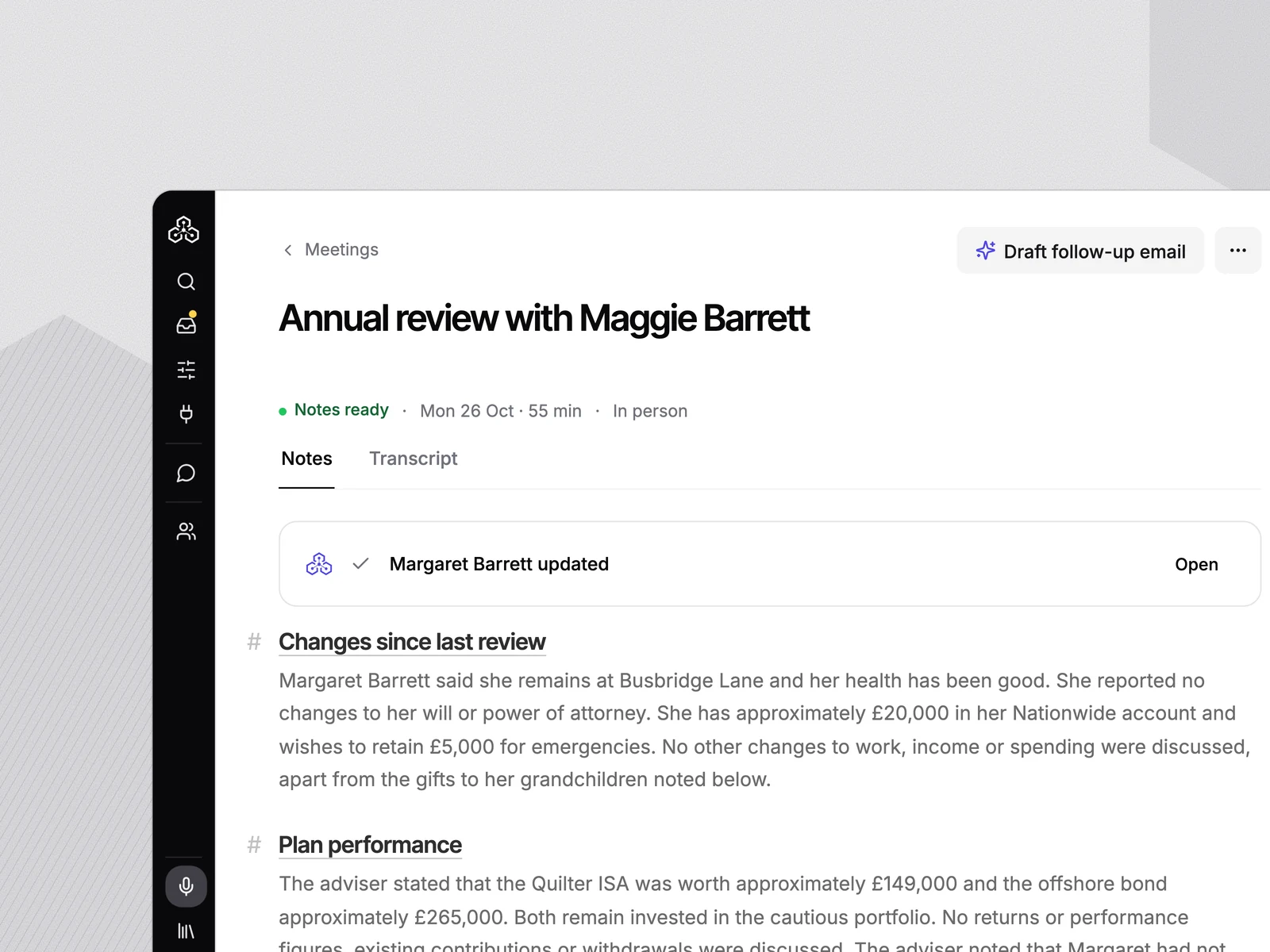
New details and follow-up tasks from the meeting are listed per client. Confirm them and the fact find — and Intelliflo, Xplan or Plannr — is updated.

Two clients from a meeting waiting to be confirmed, each with a fact find update
Handoff

Feeds the fact find and the report

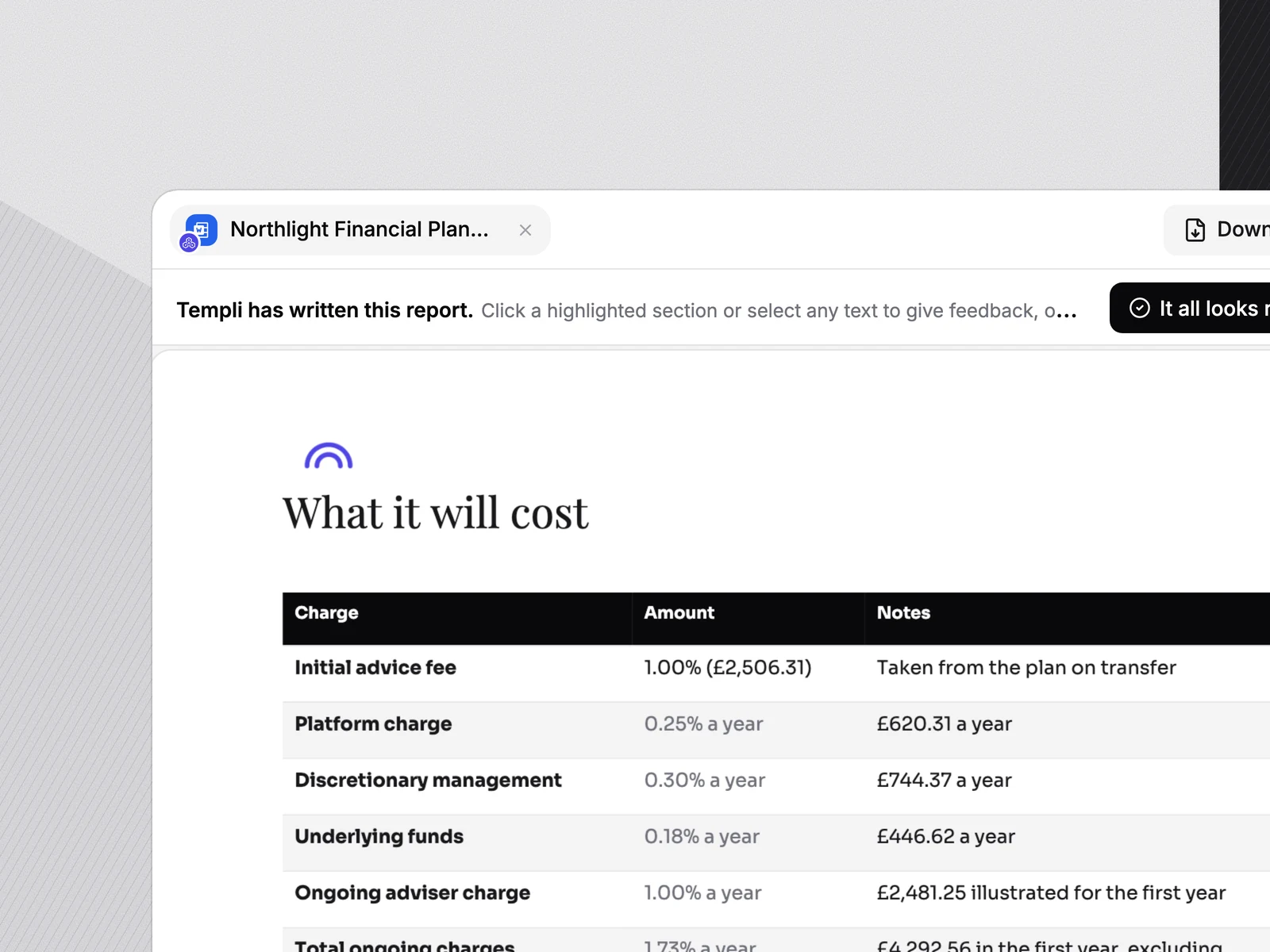
The same meeting fills the fact find and gives the suitability report its context — no re-keying between tools.

suitability report software
A suitability report drafted from the same client file
Templi on your phone

Calls, meetings and client files.
All from your phone.

Record a meeting, call a client, scan the documents they hand you. The note is ready by the time you're back at your desk.

Your phone is the office.
Call clients, record them and file what they give you.

Calls

Call clients and record the call

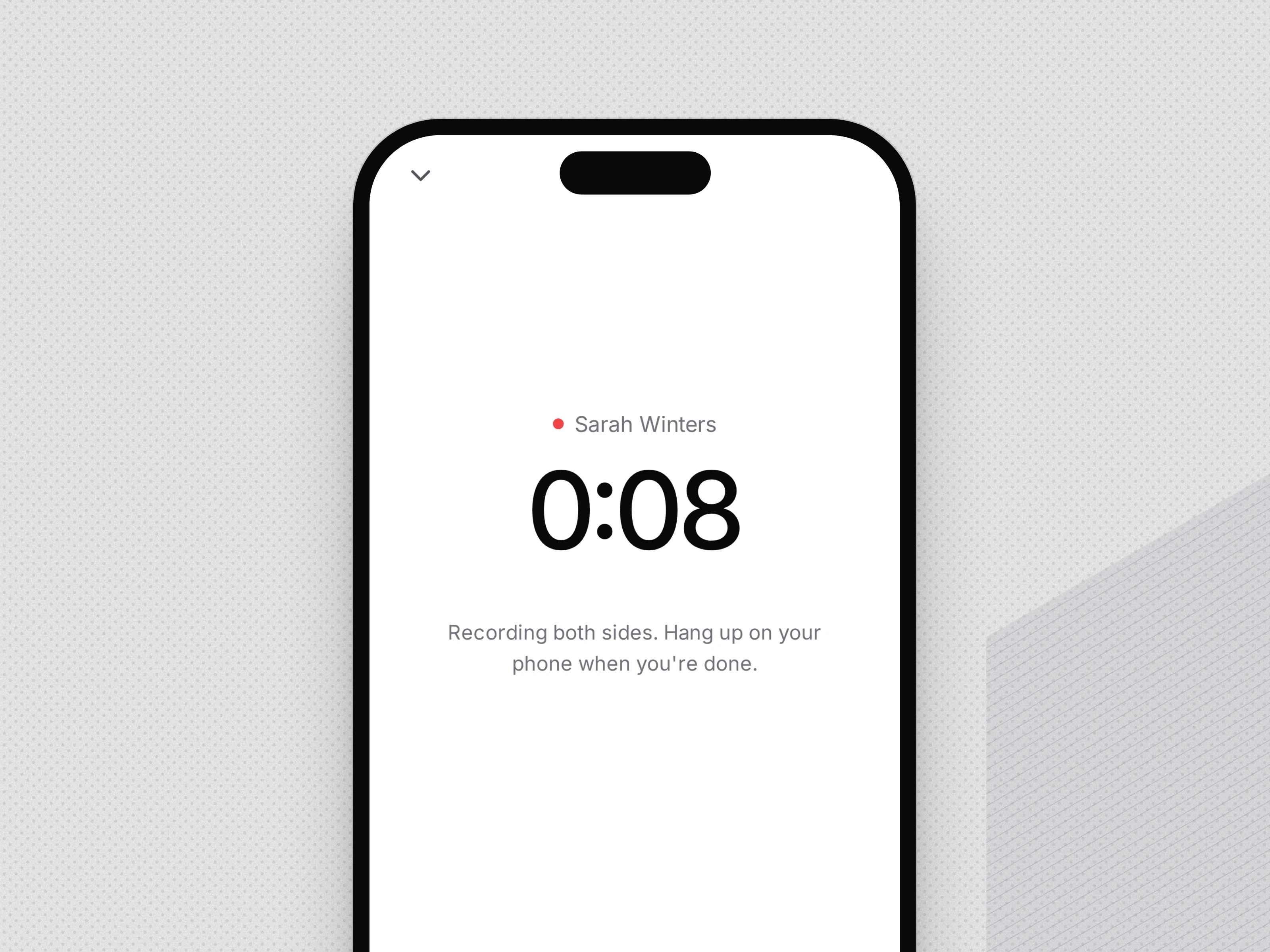
Call a client from the Templi app. Templi rings your phone first, then the client, and records both sides of the call. The file note is written the same way as a meeting in the room.

A call with Sarah Winters being recorded in the Templi app
Client files

Scan client documents into their file

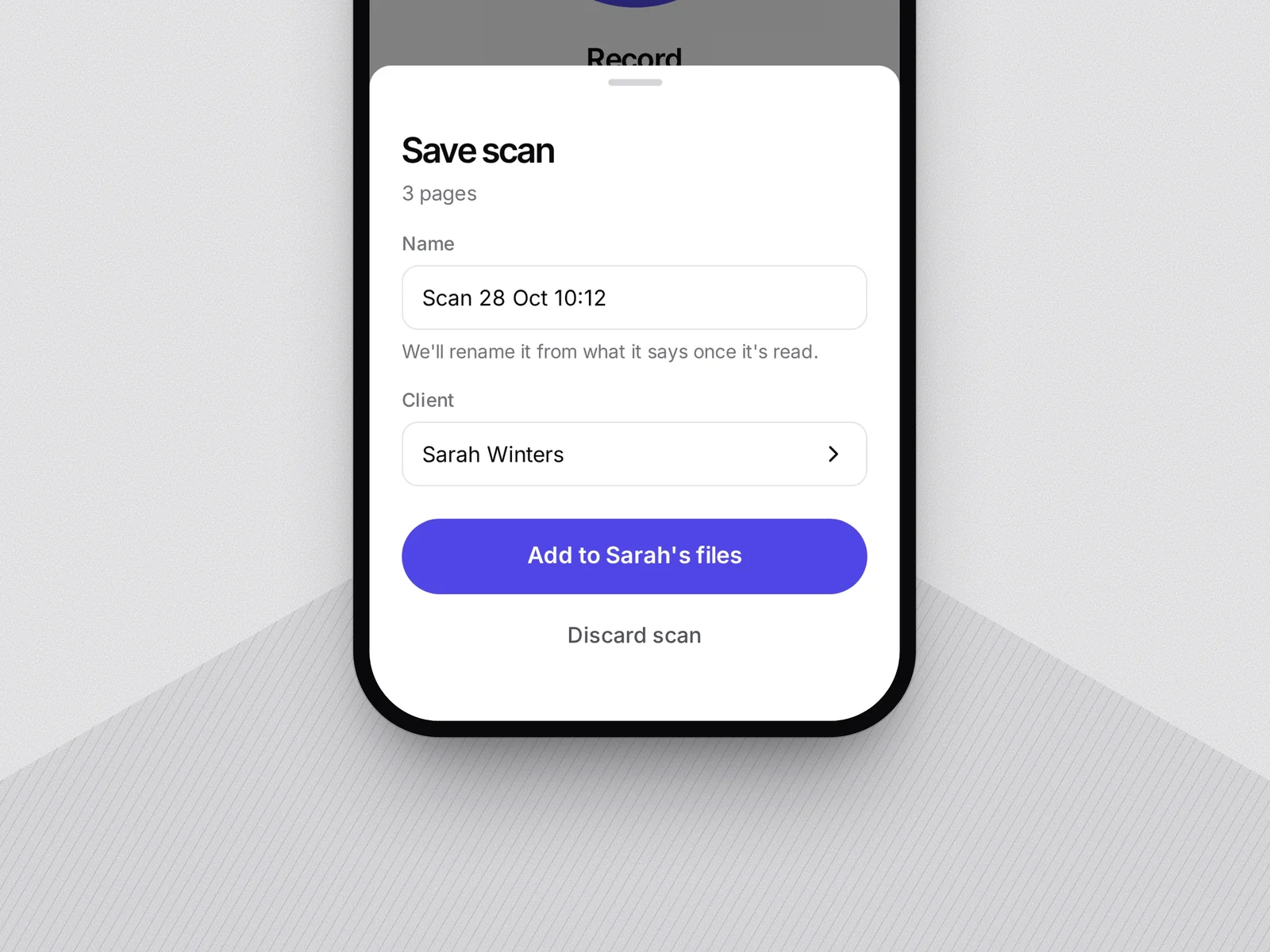
Scan the pension statement or policy schedule a client hands you. Pick the client and Templi adds it to their files, then names it from what the document says.

A three-page scan being added to Sarah Winters’ files
Any client

Filed against the right client

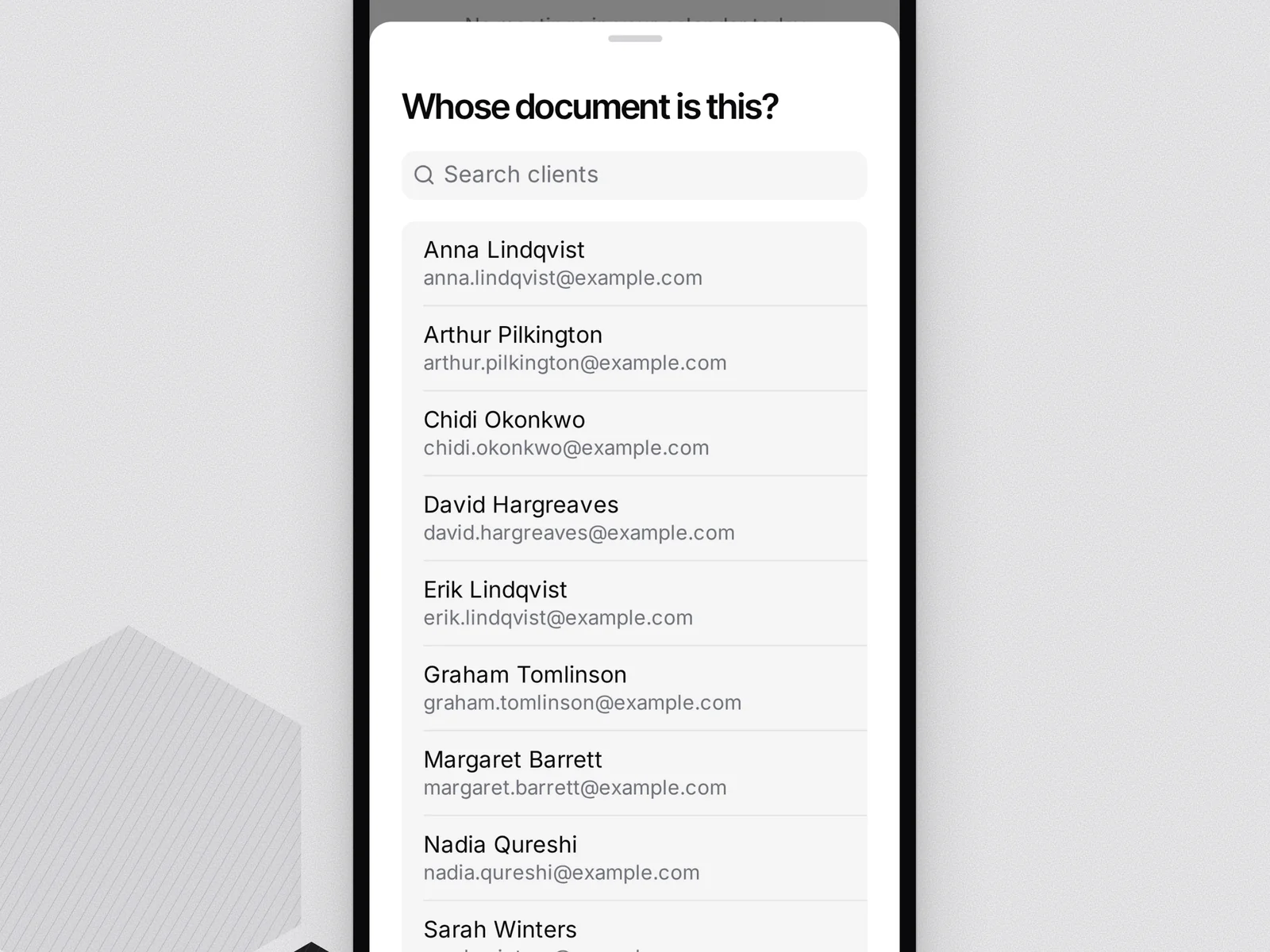
Choose who the document belongs to from your client list. It lands in the same file your notes, fact find and reports use.

Choosing which client a scanned document belongs to
Notes

The note is on your phone too

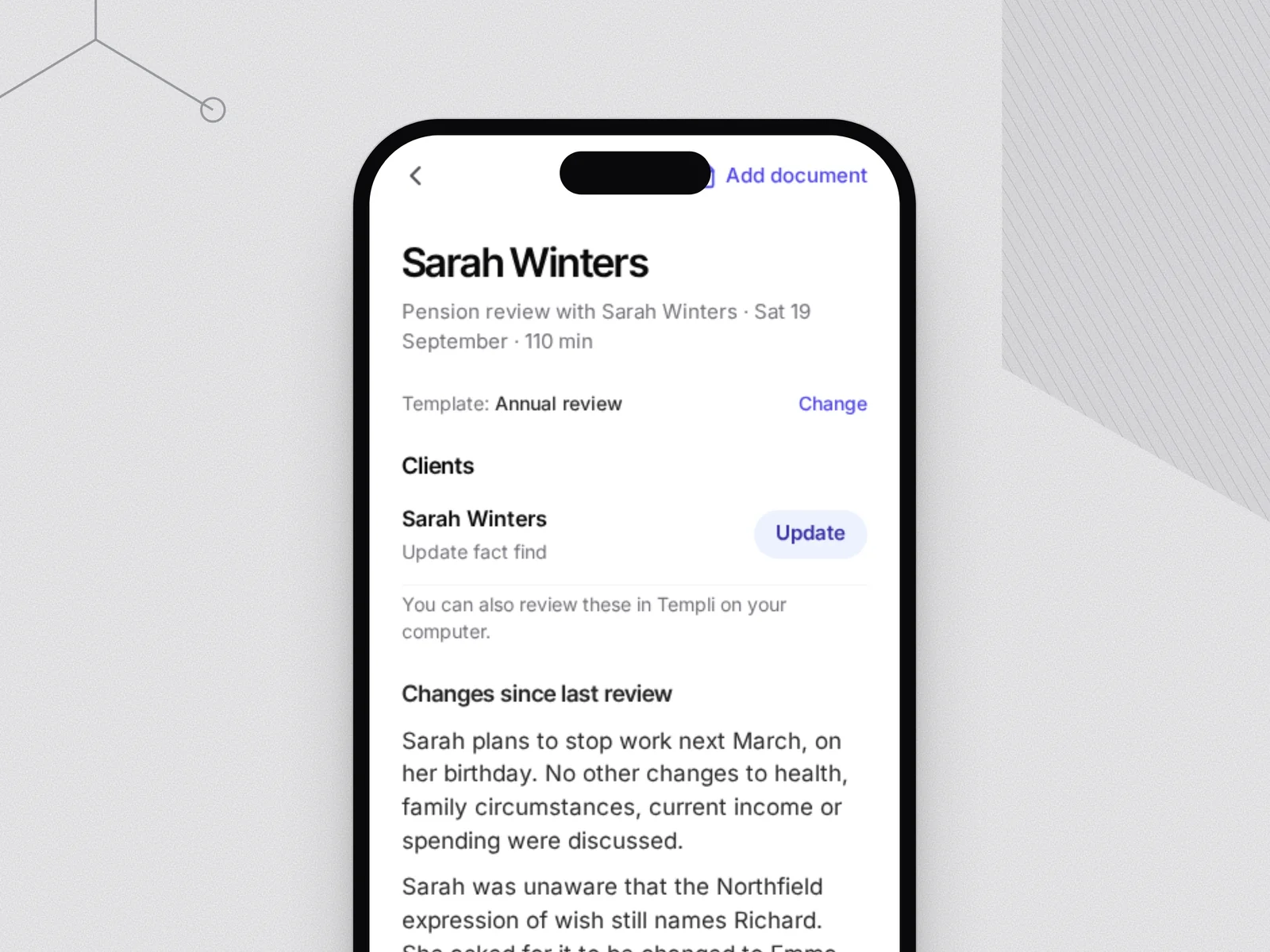
Read the note on the way back to the office and confirm client changes before you sit down. Anything you skip waits for you in Templi on your computer.

Sarah Winters’ pension review notes on the phone
Your style

Upload a note you love.
It learns the way you write.

Send Templi a file note you’re proud of. It reads the structure, the tone and the level of detail — then writes every new note the same way, so the draft sounds like your firm, not like a machine.

A file note written in the firm’s own style
  • Your sections The headings and order your firm already uses
  • Your tone Formal or plain, matched to your example
  • Your detail How much goes into each section
  • Your standards Compliance wording kept as your firm wrote it
Jack Crawford, Adviser at Greensky Wealth
“An incredibly useful tool when amalgamating notes from client meetings into a coherent fact find.”
Jack Crawford Adviser, Greensky Wealth

Bring your next client meeting. Leave with the file note.

Book a demo

Client conversations stay protected.

Meeting recordings and transcripts hold sensitive client information. Templi keeps them inside your firm's control: no training on your data, role-based access, and human approval before anything is written to your back office. Our trust centre has the detail for your due diligence.

  • ISO 27001 In progress
  • ISO 42001 In progress
  • No training on your data Always
  • Role-based access Standard
  • Human approval before write-back Standard
FAQ

AI note taker
questions.

Is it legal to use an AI note taker in client meetings?

Yes, with the client’s consent. Recordings are personal data under UK GDPR, so tell the client you’re recording, keep it secure and follow your retention policy. Templi keeps recordings and transcripts under your firm’s control.

Is there a free AI note taker?

Yes — Templi has a free plan. It’s enough to try the whole flow: capture a meeting, get the file note and check it against the transcript.

Which AI note taker is best for financial advisers?

One that writes in your firm’s format and knows your client record. A general note taker produces a summary; Templi produces a file note and queues the client changes for your back office.

How is Templi different from a general note taker like Otter or Zoom?

Templi writes the note in your firm’s own template, attaches the client from your back office, and turns what was agreed into updates for Intelliflo, Xplan or Plannr — nothing writes back until you confirm it.

Where is client data stored, and is it used to train AI?

Your recordings and transcripts stay under your firm’s control and are never used to train third-party models. Data is encrypted in transit and at rest.

Does it write file notes in our firm’s format?

Yes. Upload a note you like and Templi learns your sections, tone and level of detail — every new note reads like your firm wrote it.

Does a bot join the call?

Only if you want one. Templi’s notetaker can join Zoom, Google Meet and Microsoft Teams calls when you send it, or join every meeting on your calendar. To record with no bot, use the Templi app on your computer or phone, or record from your browser.

See a real client meeting turned into a file note.

Book a demo